Under the hood
The technology behind FacePass.
3D Facial Recognition; Palm Vein Recognition; Fingerprint Verification. 2.4GHz WiFi and upcoming Z-Wave 800 connectivity. Built from the ground up for real-world security and usability.
3D Facial Recognition
True 3D. Not a camera.
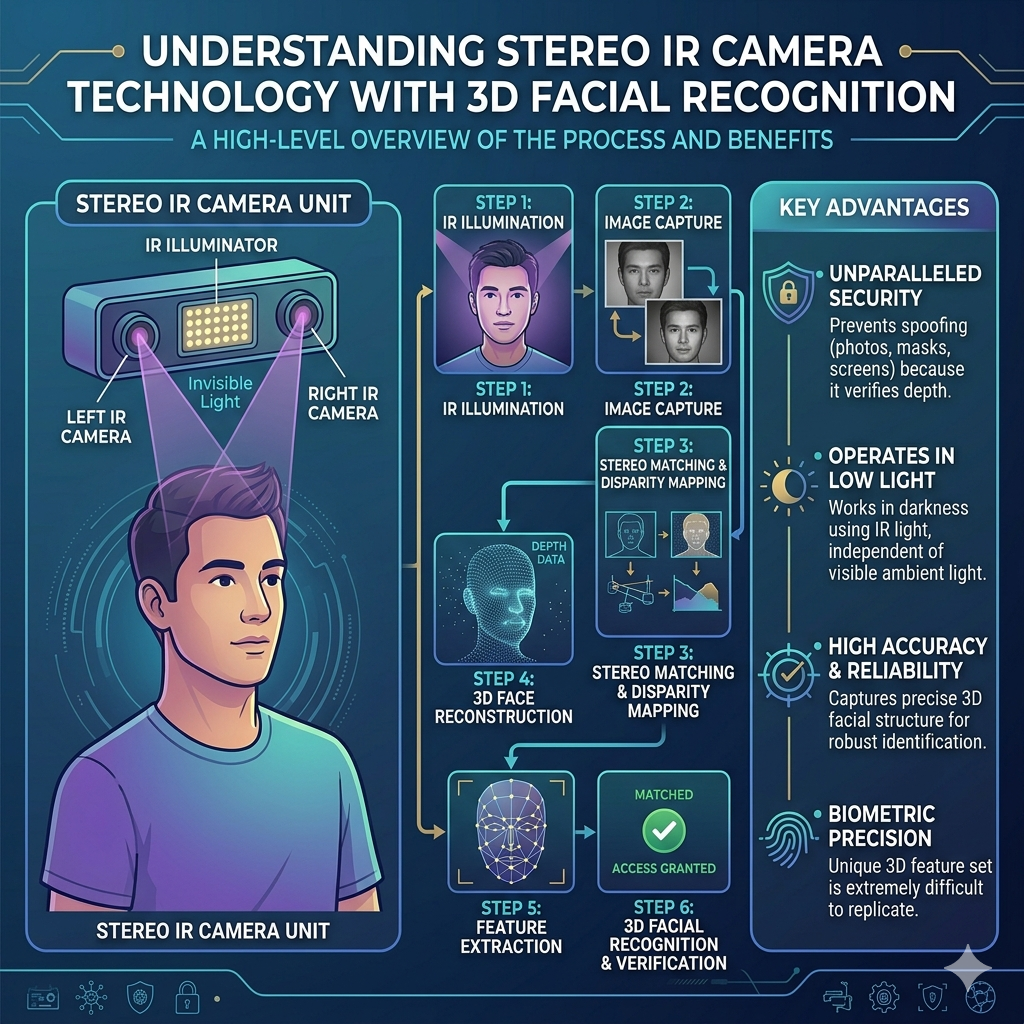
Most "facial recognition" locks use a standard camera and compare flat photos. Ora FacePass is different. Two infrared cameras, precisely spaced, project a structured IR grid onto your face and capture depth data simultaneously. The system triangulates thousands of points in three-dimensional space — the same underlying principle used in aerospace measurement and medical imaging.
The result is a faceprint that cannot be replicated by a photograph, a printed mask, or a video playback attack. The 3D geometry of a real face is unique and impossible to flatten.
Technical specs
Palm Vein Recognition
Your veins. Unique at every scan.
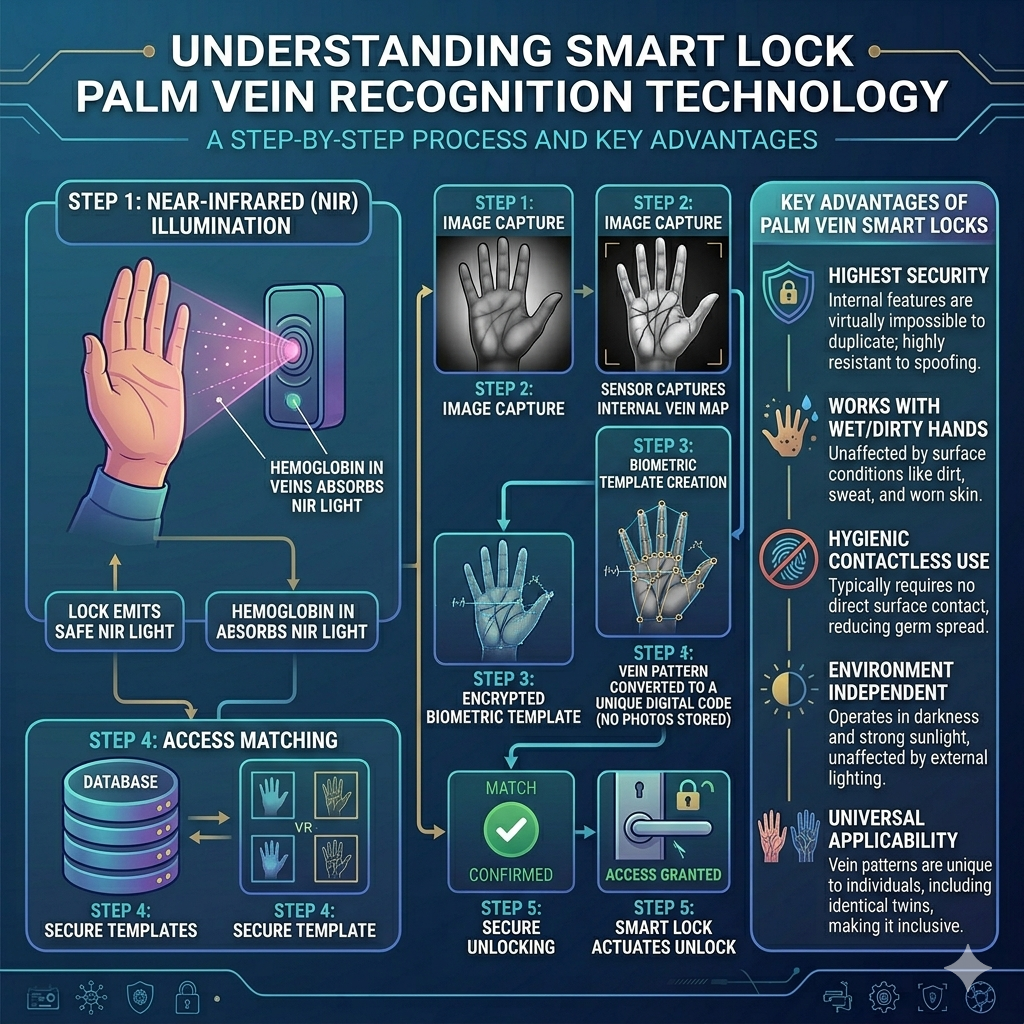
Palm vein recognition reads the sub-dermal vascular pattern in your palm using near-infrared light. Unlike fingerprints, palm vein patterns are internal — they cannot be lifted, copied, or spoofed from a surface you've touched. The pattern is stable across a lifetime and unaffected by skin condition, cuts, or moisture.
Ora FacePass uses a contactless palm sensor — no pressing required. Hold your palm in front of the sensor at a distance of 5–15cm for a clean read.
Technical specs
Fingerprint Verification
Capacitive read. Live skin required.
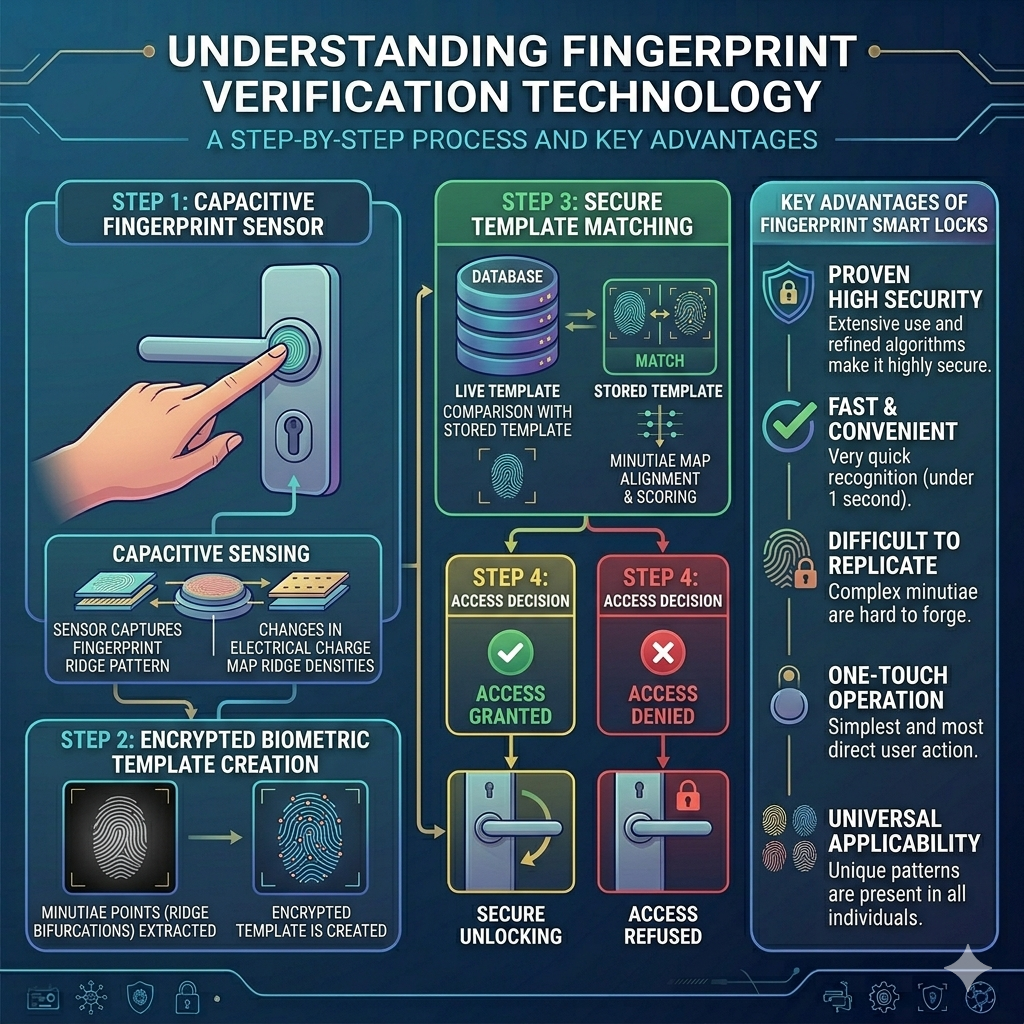
Capacitive fingerprint sensing measures the microscopic electrical differential between the ridges and valleys of your fingerprint as your finger makes contact with the sensor array. Because the read depends on the conductive properties of living tissue, the sensor will not respond to a printed image, a silicone mold, or a lifted print on tape — the substrate has to be a live finger.
Ora FacePass uses a capacitive array with on-sensor template extraction. Enrollment takes three touches; verification is sub-second. Each lock stores up to 250 fingerprint templates locally — templates never leave the secure element on the device.
Technical specs
Connectivity
Open protocols. Real integration.
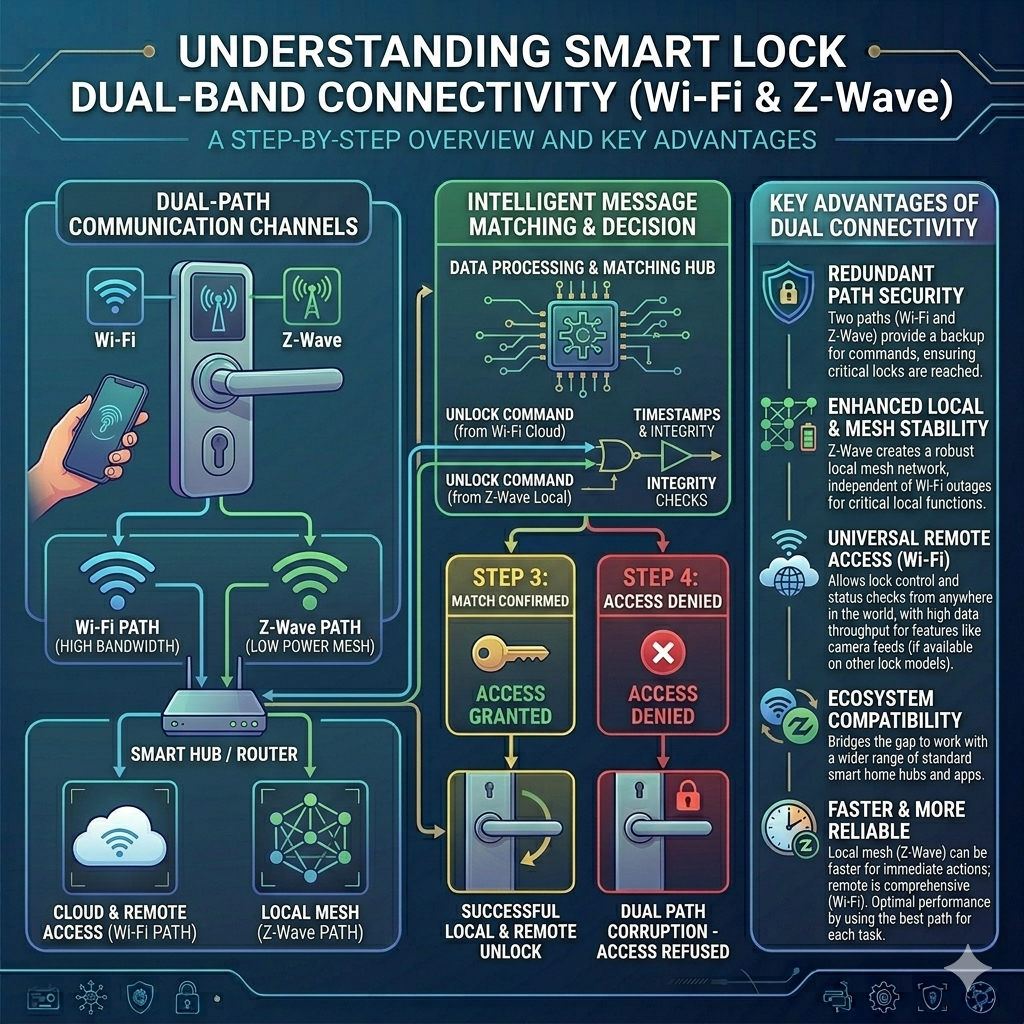
Every Ora FacePass connects to the internet directly over 2.4 GHz Wi-Fi — no hub, no bridge, no extra hardware. Once on your network, the lock pairs with the Ora FacePass mobile app for real-time status, push notifications, and remote lock/unlock from anywhere in the world. All cloud traffic is TLS 1.3 encrypted end-to-end.
For smart-home and security system integration, upcoming MY27 Ora FacePass models will be built on Z-Wave 800 (Silicon Labs ZGM230S) — the most widely supported smart home security protocol in North America. Your lock integrates natively with any certified Z-Wave security panel, property management platform, and smart home controller.
Technical specs
On-Device Storage
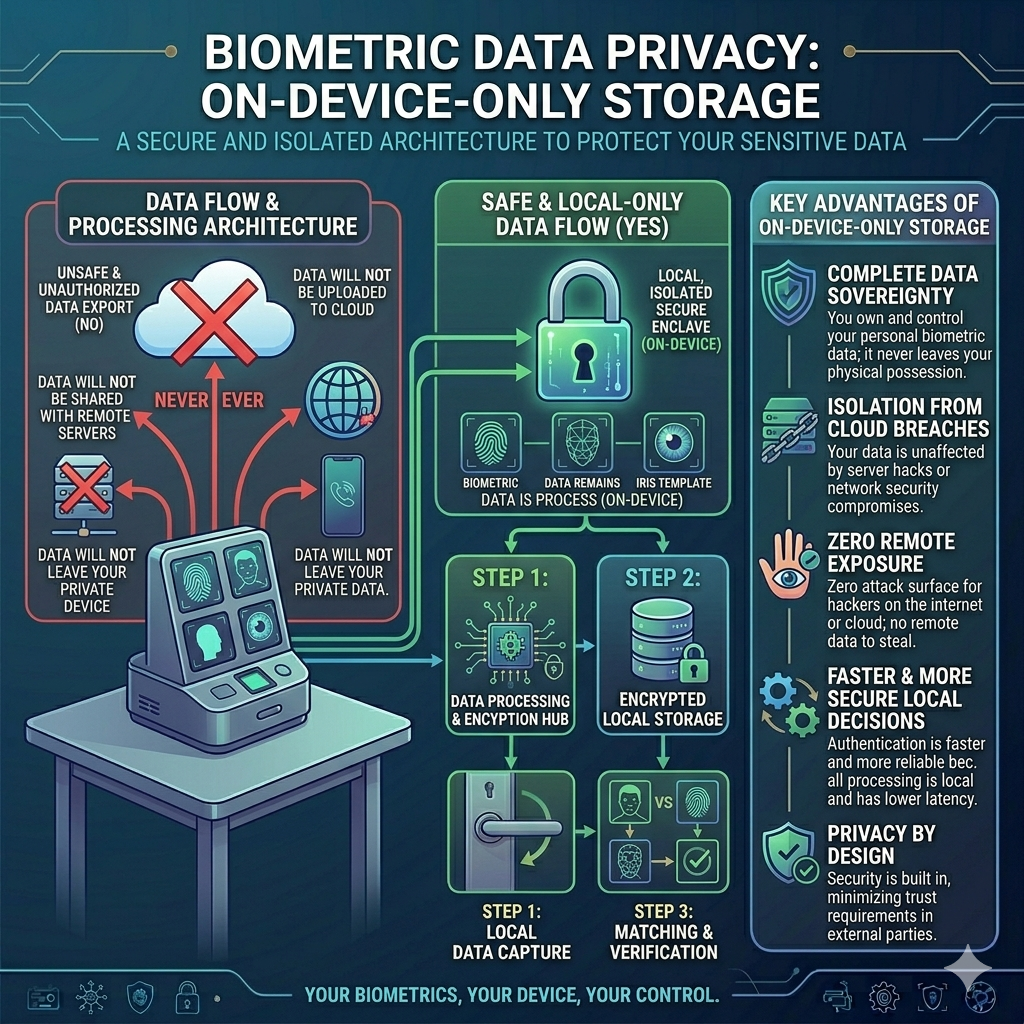
Your biometrics never leave the lock.
Every faceprint, palm vein map, and fingerprint template you enroll is converted into a mathematical signature on the lock itself and written directly into an isolated secure element. The raw biometric data is never stored, never transmitted, and never uploaded to the cloud or the Ora app — there is no copy of your face, palm, or fingerprint sitting on a server anywhere in the world.
When you present your face, palm, or finger to unlock, the comparison happens entirely on-device against the templates stored locally. The lock reports the result — granted or denied — but the biometric data itself never crosses the network. If a lock is reset or removed, the templates are wiped with it. This is biometric authentication designed around the principle that the most private data should be the least portable.
Technical specs
Ora FacePass App
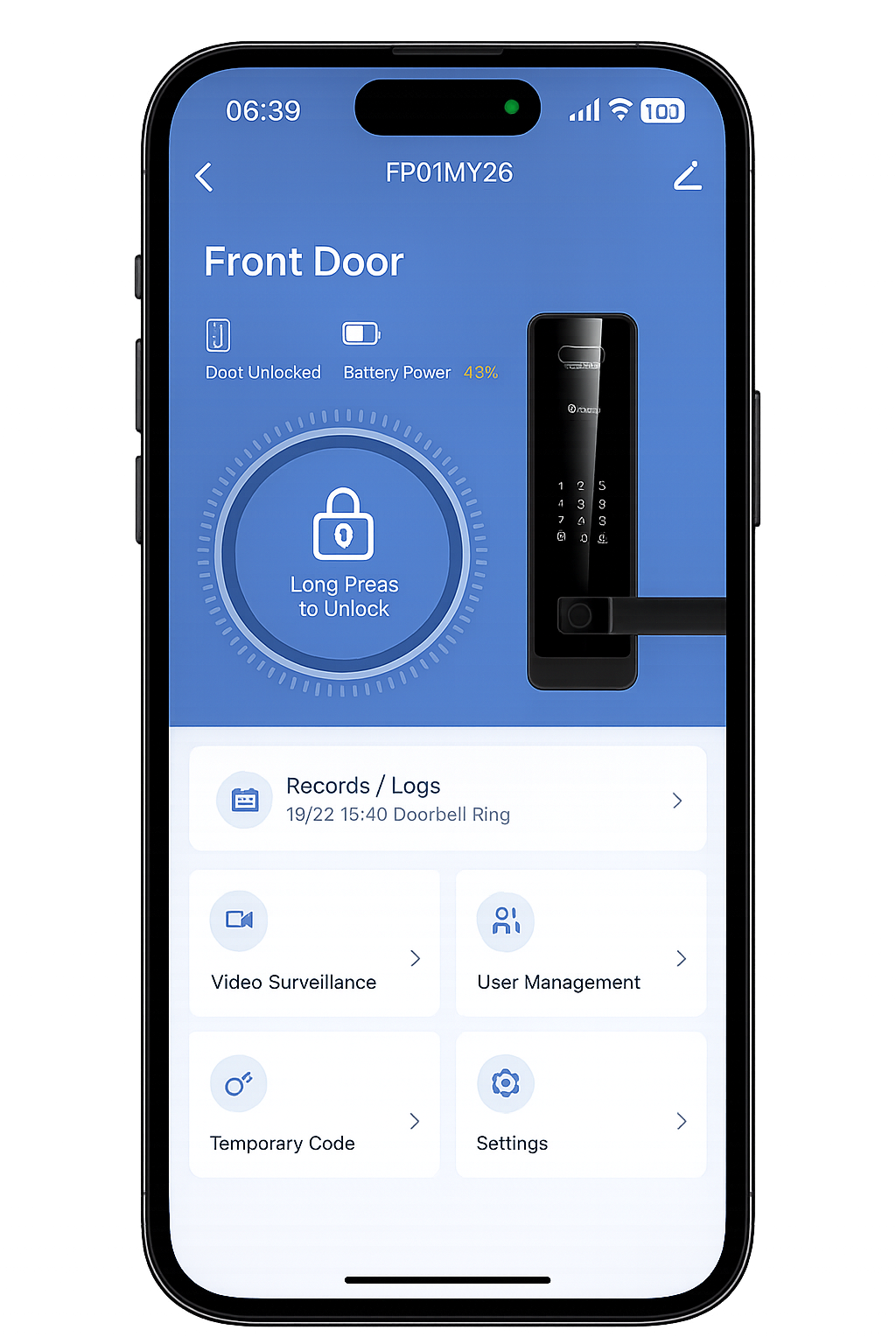
Remote control. Full history. One tap.
The Ora FacePass app gives you complete visibility and control over every lock in your home or property. Manage users, set access schedules, view camera feed, answer doorbell calls, review the full unlock history, and remotely lock or unlock from anywhere in the world.
Ready to see it in person?
Find an authorized dealer for a hands-on demo, or explore the full product lineup.